When I bring up the license authorization wizard, I cannot see the field to enter the license code… the field is tiny and I can’t see it or click on it?
You need to decrease the size of the text and windows before activating SPSS Statistics. You can do this by following these steps:
- Enter the Display properties:
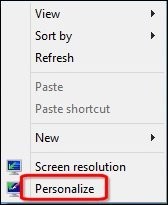
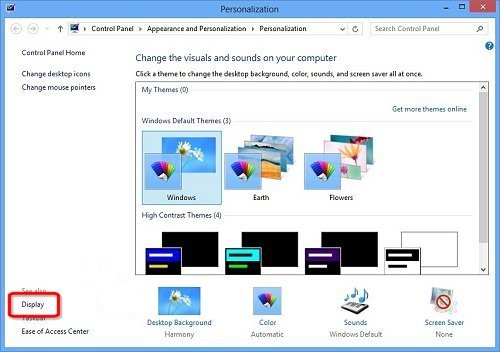
- Right click an empty area of the desktop, and then click Personalize, then click Display to open the Display window
- Or
- Open the Control Panel (select icons view), and click on the Display icon.
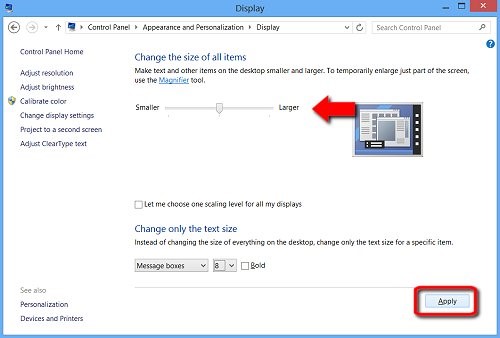
- To decrease the size of the text and windows, use the mouse pointer to move the slider bar to the left, and then click Apply.
- To complete the changes, select Sign out now.
- After restarting the computer, launch IBM SPSS Statistics License Authorization Wizard and enter your authorisation code to obtain a license for this product.

Free Shiping
From all orders over $100

Free Return Plolicy
Return money within 30 days

Secure Shopping
Youre in safe hands

More Than 1000 Products
We have everything you need
