When to do this?
It may be necessary to update your copy of SPSS with an authorization code if:
- your license expires and you have purchased a new Grad Pack for the same version (eg v29)
- you need to ‘upgrade’ for example from SPSS Base v29 to SPSS Standard v29
- the authorization code wasn’t entered during initial installation
- updates to your computer require the authorization code to be entered again
How to do it:
- Check that your authorization code is for the same version of SPSS as you have installed. For example, if your authorization code is for SPSS Statistics 29, you need to have SPSS 29 installed. It doesn’t matter whether you have previously had Base, Standard or Premium, but the version number needs to be the same.
- Go to the following directoy by opening File Explorer and choosing the appropriate path
- SPSS 28/29 users: This PC>Local Disk (C:)>Program Files>IBM>SPSS Statistics
- SPSS 27 users: This PC>Local Disk (C:)>Program Files>IBM>SPSS>Statistics>27
- SPSS 26 users: This PC>Local Disk (C:)>Program Files>IBM>SPSS>Statistics>26
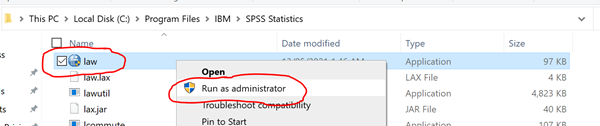
- Scroll down until you see the file, "law" and RIGHT click on it and choose “Run As Administrator” (in some versions of Windows, you need to right click, choose “More” then choose “Run As Administrator”).
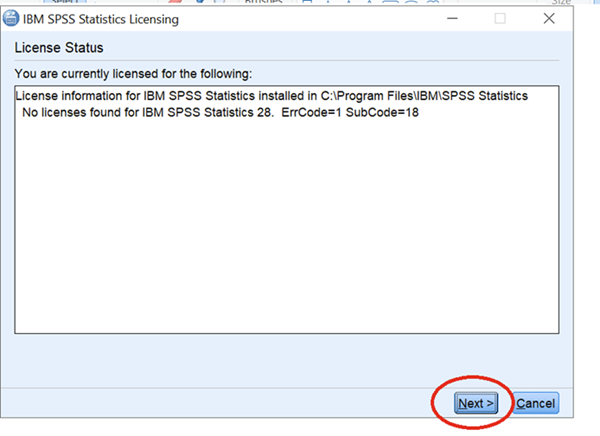
When the wizard starts, it may come up with your existing license information. Sometimes, it may say “No Licenses Found”. Just press ‘Next’
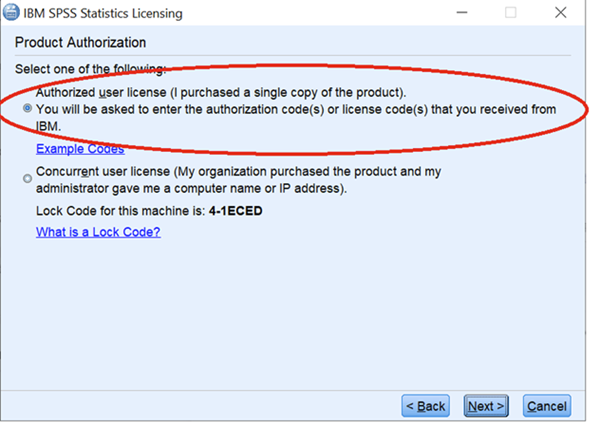
- Choose “Authorized User License” and press “Next”
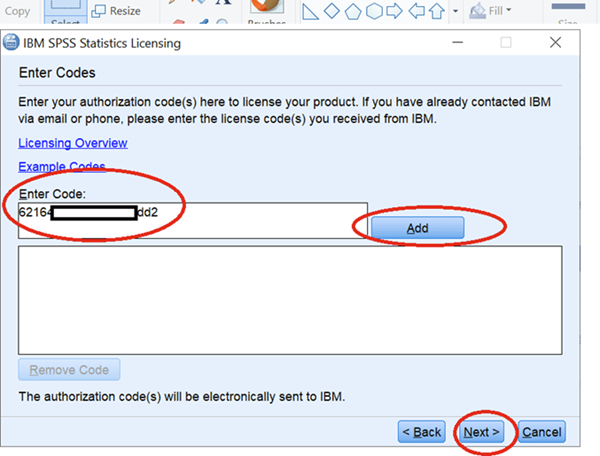
- Enter your authorization code, click "Add" and press ‘Next’. The authorization code is found in the email sent by Hearne Software and it's best you copy and paste the code from this email to avoid any errors. ’
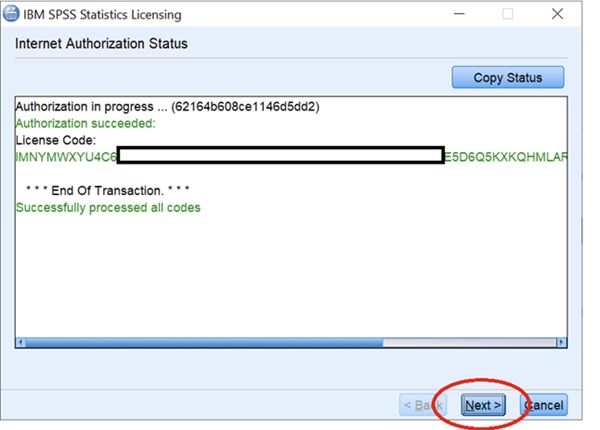
- Check that you get the message “Successfully processed all codes”, and then press ‘Next’
- Press ‘Finish’ to close the License Authorization Wizard, then open SPSS Statistics.

Free Shiping
From all orders over $100

Free Return Plolicy
Return money within 30 days

Secure Shopping
Youre in safe hands

More Than 1000 Products
We have everything you need
